
Feature of the Week: The Form Manager
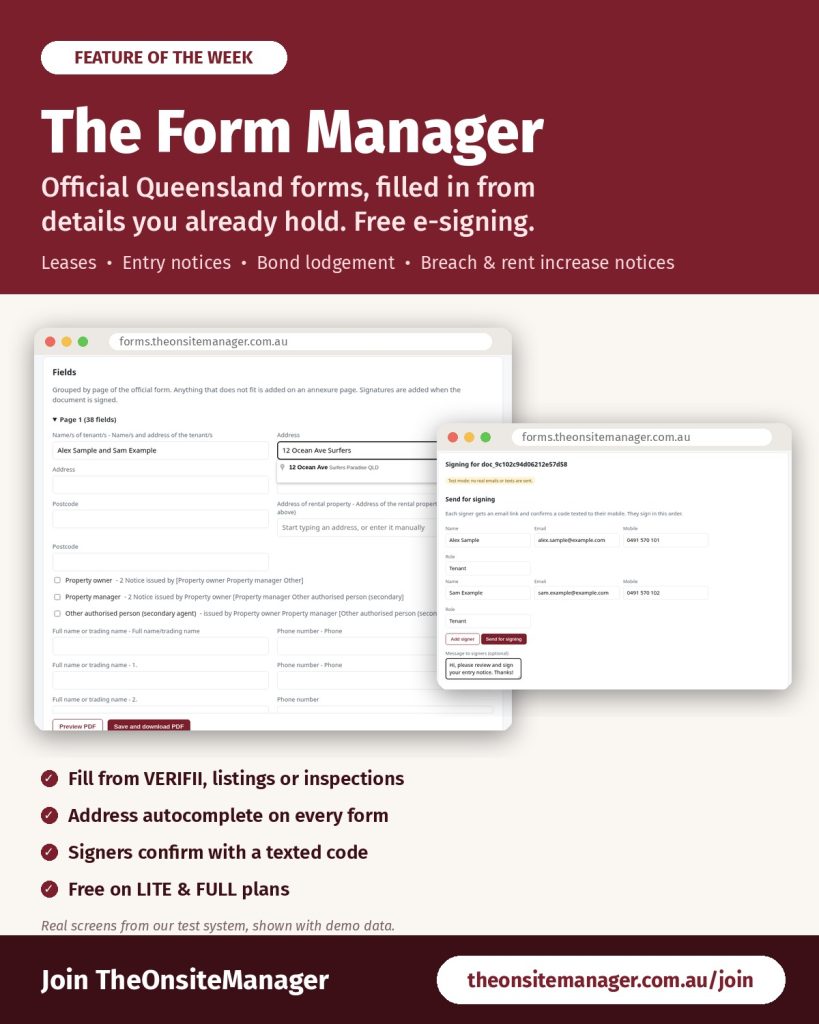
How much of your week goes on retyping tenant names, addresses, rent and bond into blank PDF forms? The Form Manager is TheOnsiteManager’s own forms system. It fills in the official Queensland forms you use most from details you already hold, then lets the people involved sign electronically, free.
Free for every manager
The Form Manager is included for all managers on a current LITE or FULL plan, electronic signing included. You don’t need RealWorks or DocuSign, there’s nothing to buy or switch on, and you sign in with your normal TheOnsiteManager email and password. Open it from the Forms & Paperwork card in your Control Panel.
The forms you use every week
- RTA Form 18a General tenancy agreement and Form R18 Rooming accommodation agreement
- RTA Form 22 Rental application and RTA Form 2 Bond lodgement
- RTA Form 9 Entry notice
- RTA Forms 1a and 14a Entry and exit condition reports
- RTA Forms 11, 12 and 13 for breach, notice to leave and intention to leave
- A Queensland Notice of Rent Increase, which checks the notice period for you
- Form 6 Appointment of agent and the Form 2 Seller disclosure statement
Each one is mapped to the current official version, so every detail lands in the right box.
Filled in from what you already have
Choose a form, then choose where the details come from: a VERIFII application, a TheOnsiteManager listing, an Inspection Manager inspection, a lease already saved in The Form Manager, or your own account details. Press Fill in and the names, contact details, address, rent, bond and lease dates drop straight in. Anything the source doesn’t hold is left blank for you to complete, because The Form Manager never guesses. Every address field has autocomplete, which cuts out one of the most common causes of rejected paperwork. Preview the official PDF exactly as it will print, then save and download it.
Free electronic signing
Add each signer’s name, email and mobile and press Send for signing. Each person gets a private link, confirms who they are with a six-digit code texted to their mobile, reads the whole document and draws or types their signature. The signed PDF includes a record of who signed and when, and an audit trail logs every step.
Less retyping next time
Renewing a lease? Duplicate it and change only the dates and rent. Every saved lease has a Bond lodgement form link that fills in RTA Form 2 for you. Add tenants to CRM copies a lease’s tenants to your listing and CRM after you’ve checked the changes. Already have older leases and notices? Upload PDFs, scans or even phone photos of paper forms on the Import PDFs tab and they become drafts on the latest form, ready for you to check. Documents are never deleted, only archived.
One agency, one platform
The Form Manager sits alongside the other tools our agents use every day: listing advertising on the major portals, VERIFII rental applications, THE Inspection Manager, the CRM Calendar and our 24×7 Live Support Chat.
Get started
Not with TheOnsiteManager yet? Join today and prepare your next lease in minutes.
Already with us? Open the Forms & Paperwork card in your Control Panel and try it on your next lease or entry notice. Step-by-step instructions are in Chapter 27 of the training manual.
Ready to join Australia’s agency for onsite managers? Join TheOnsiteManager.
(Screens shown are from our test system with demo data. Forms are for Queensland properties.)